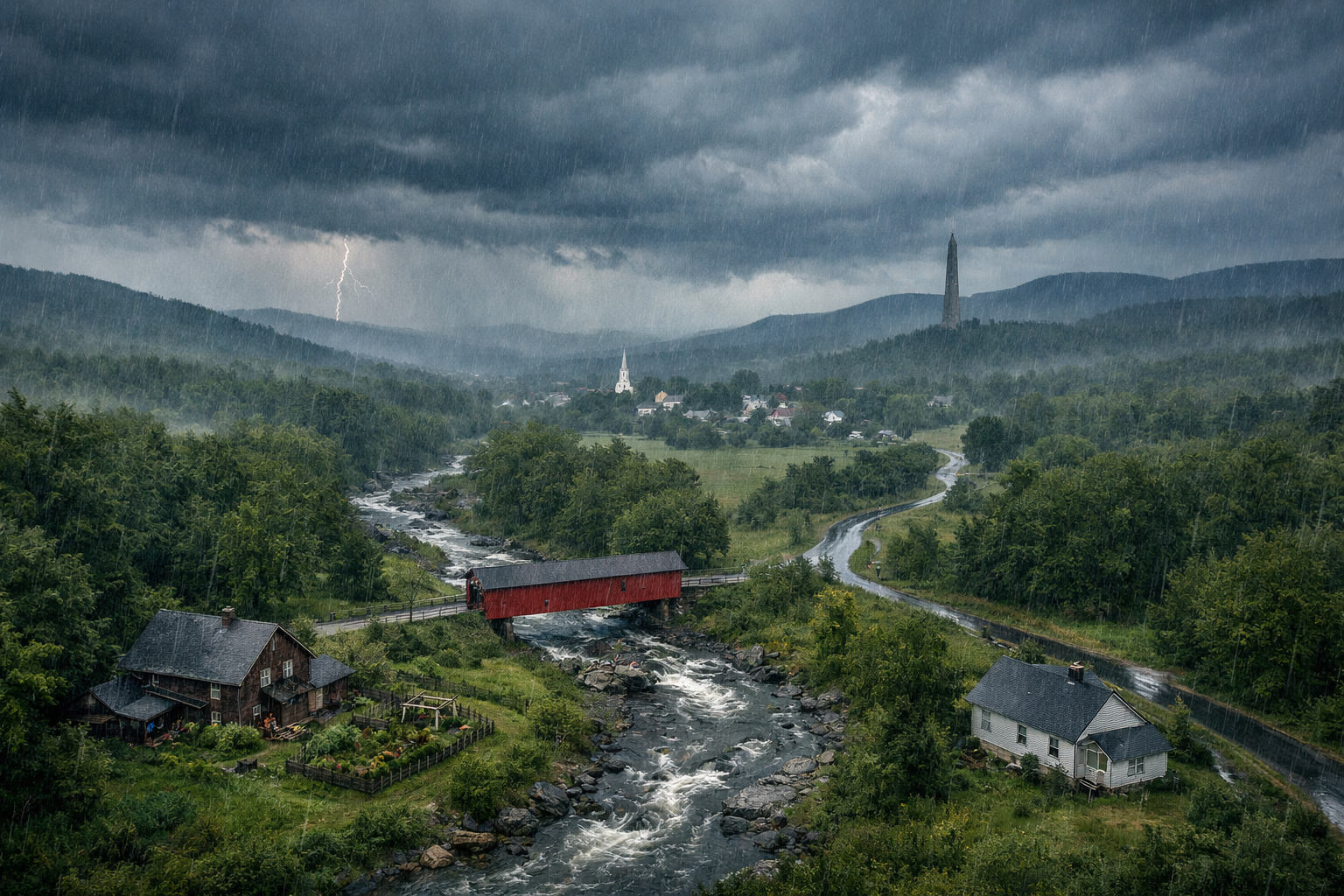
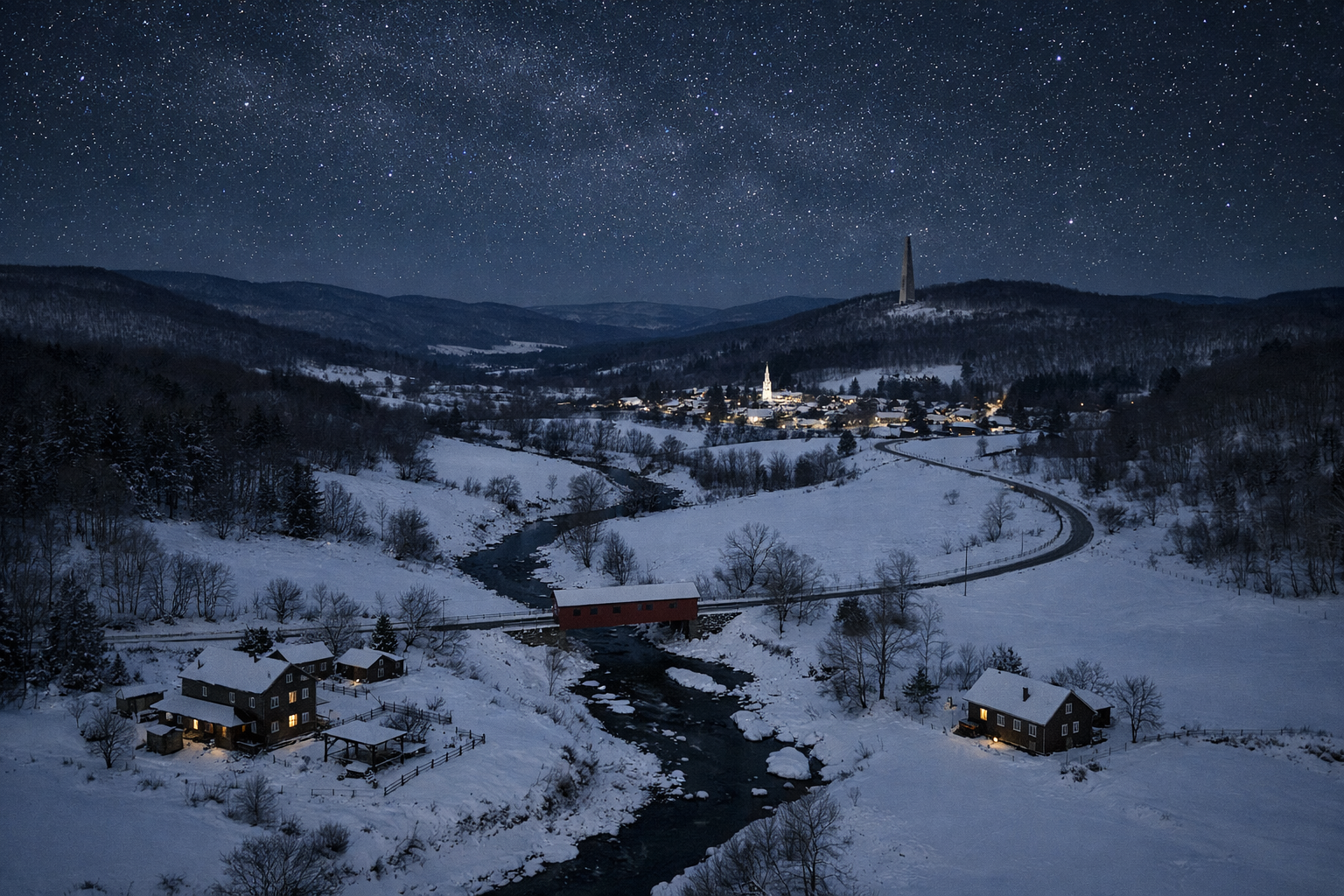
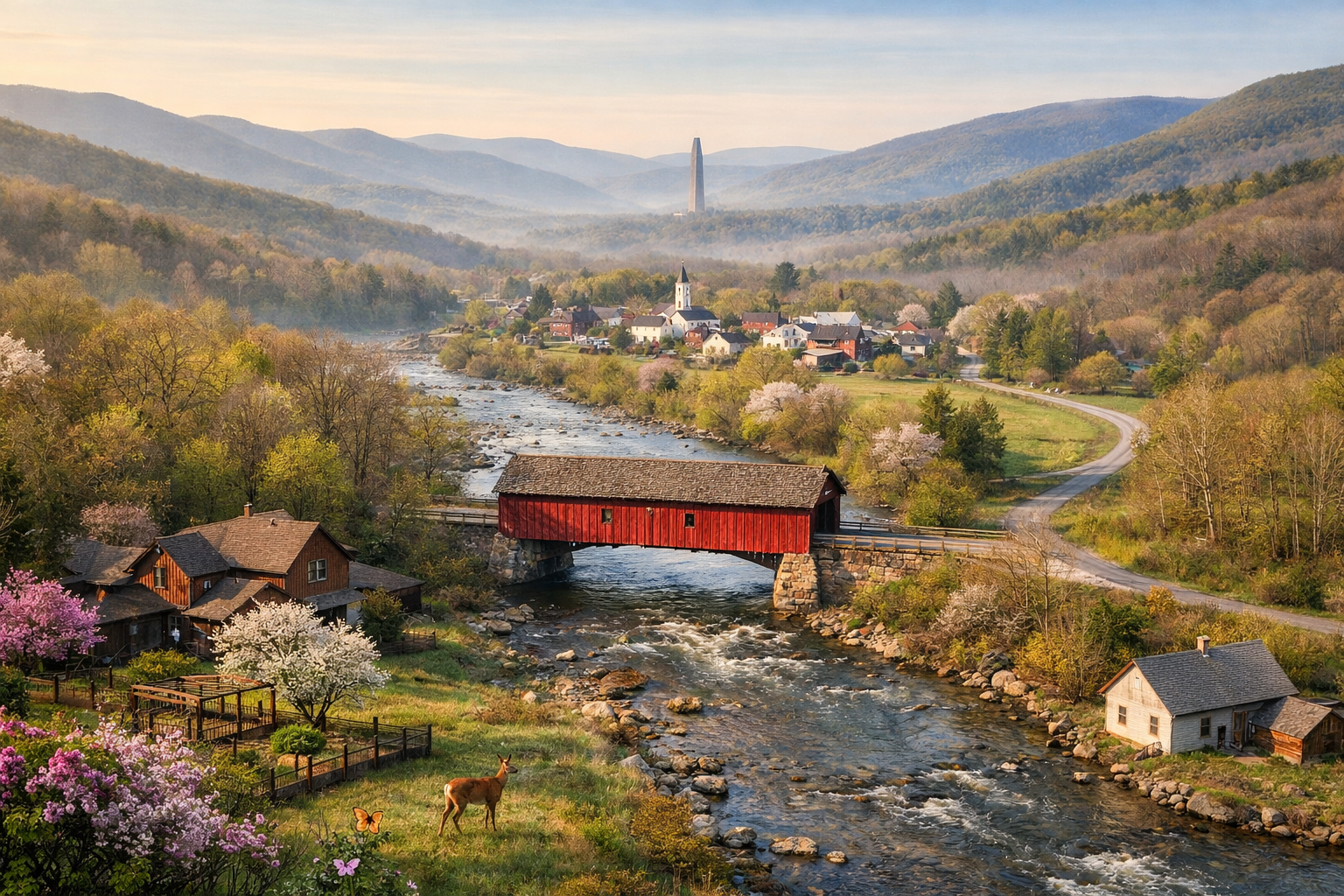
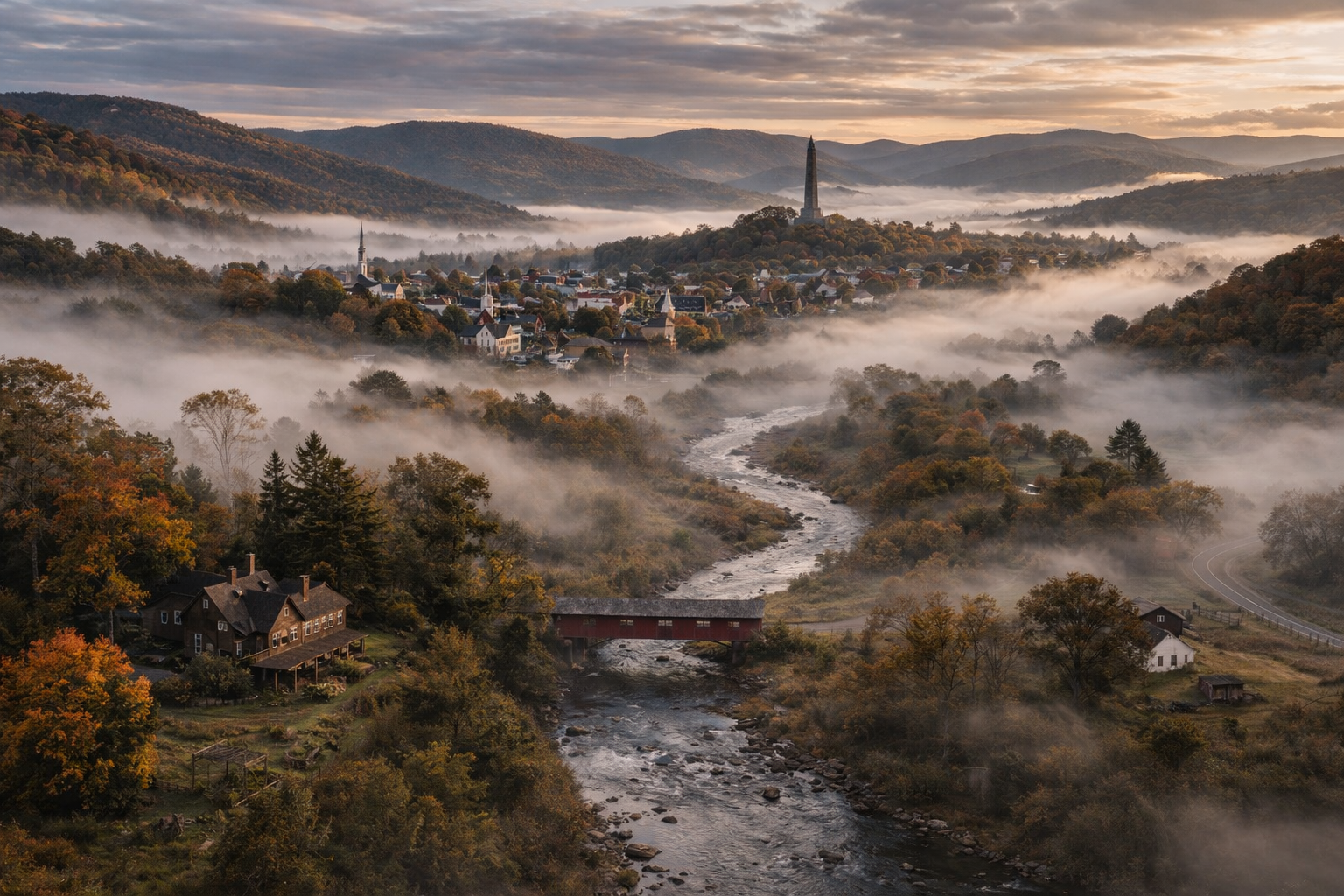
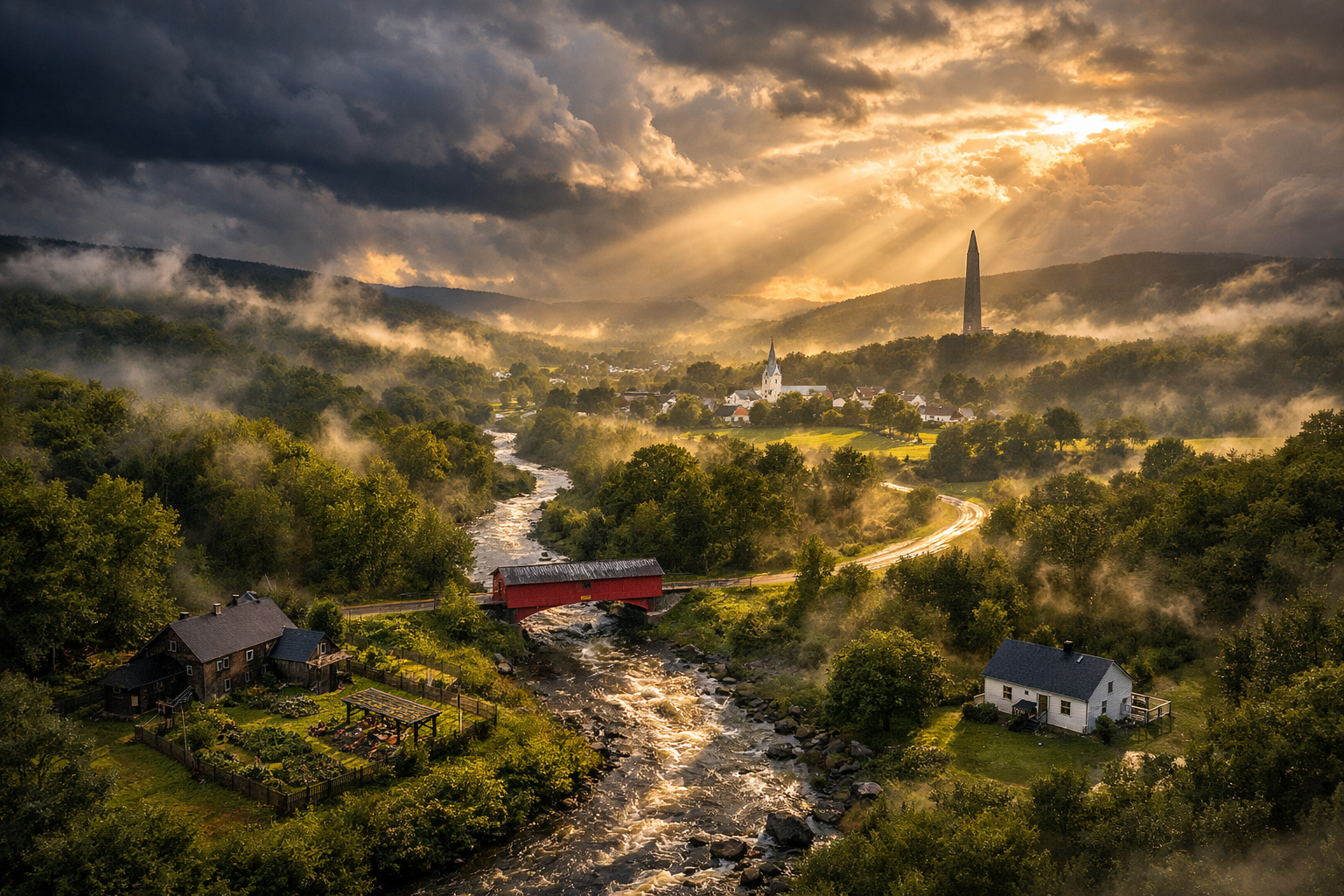
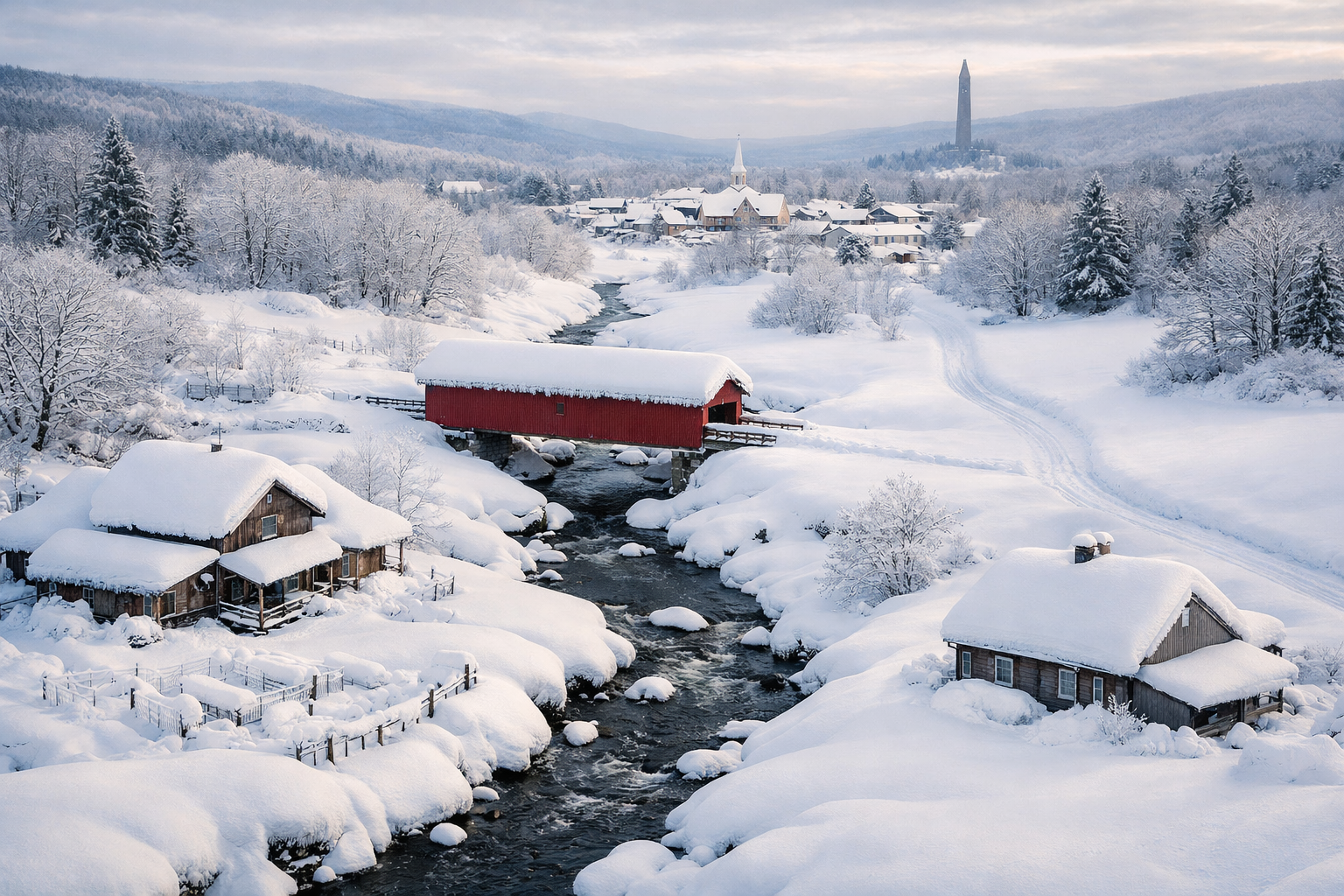
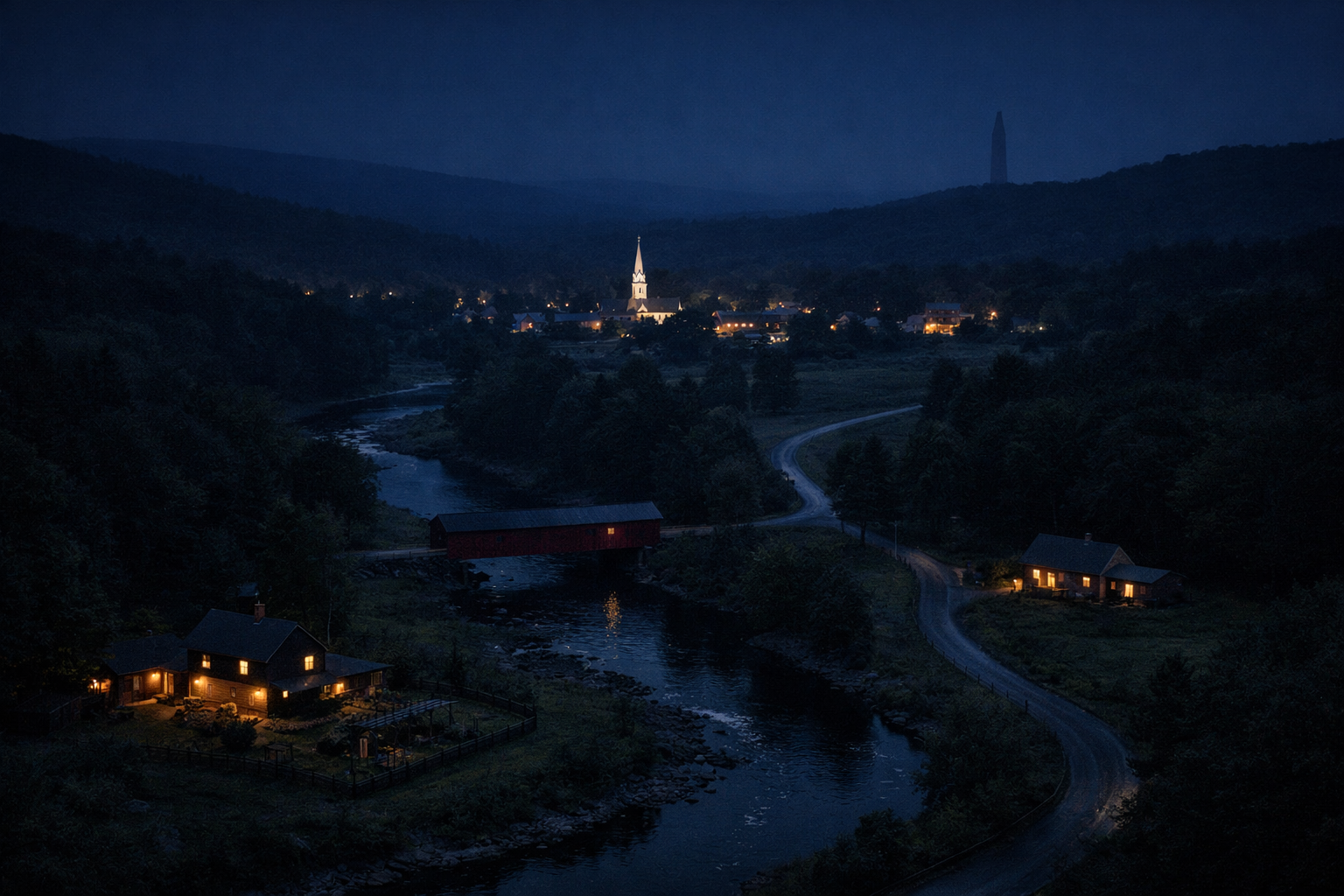
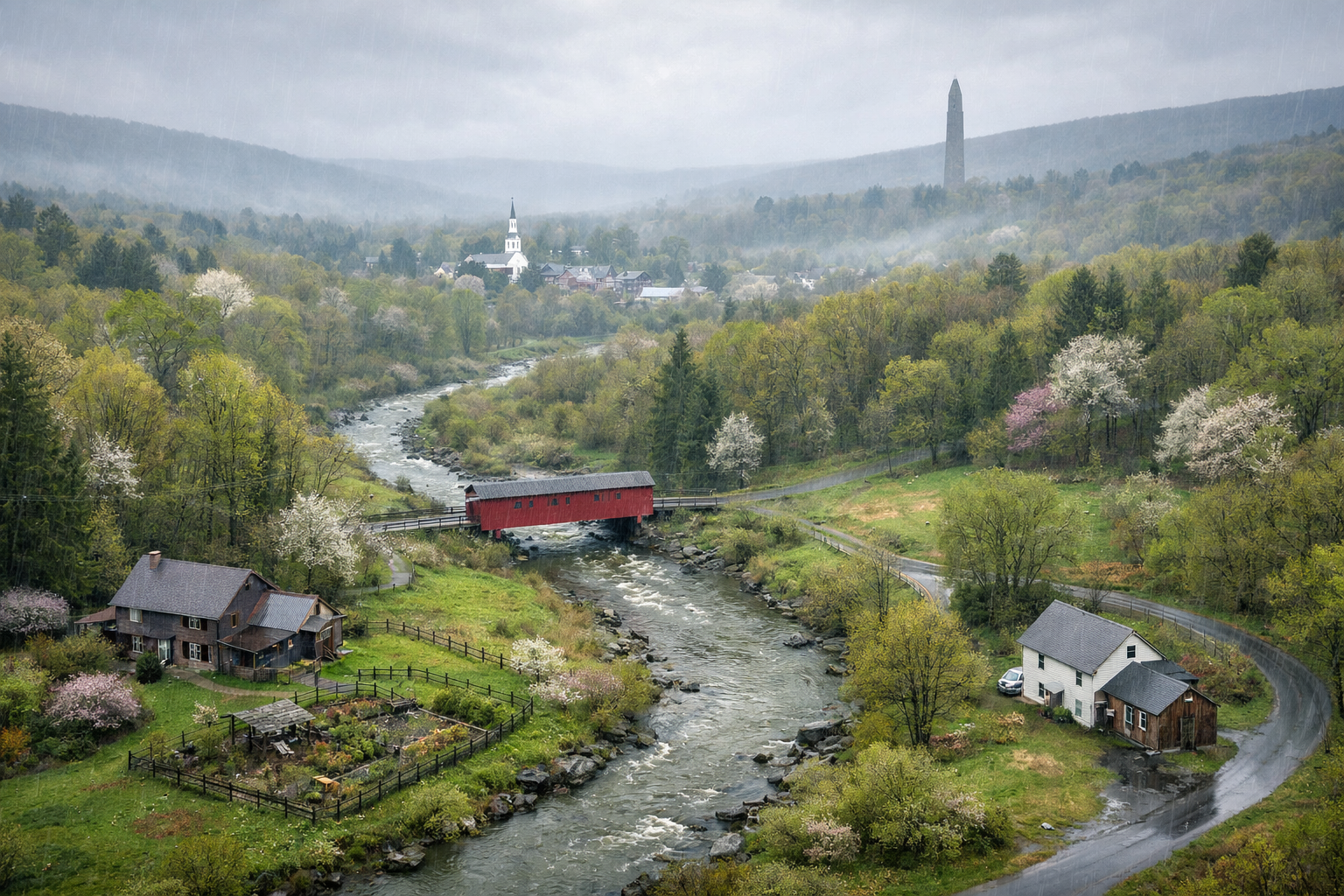
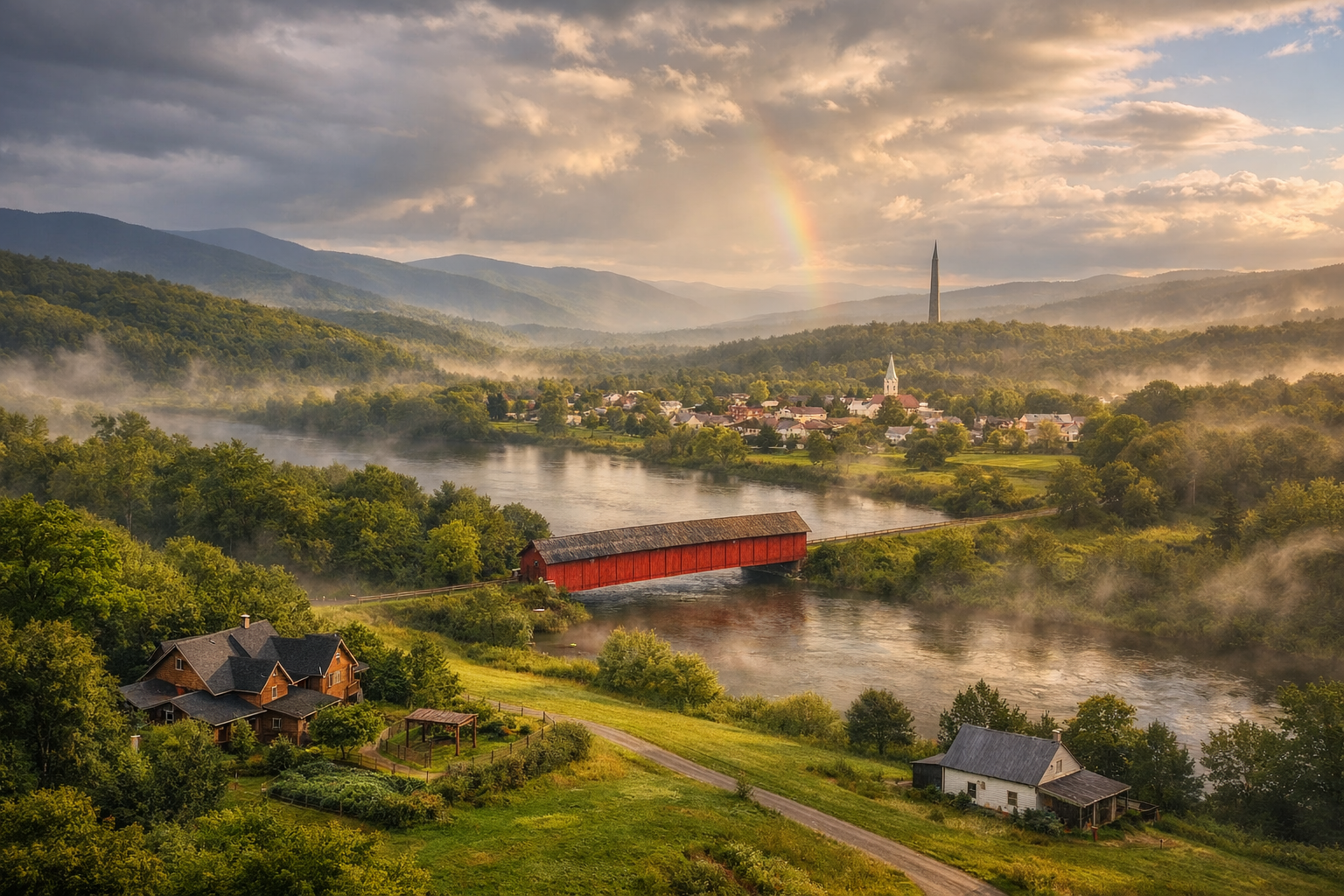
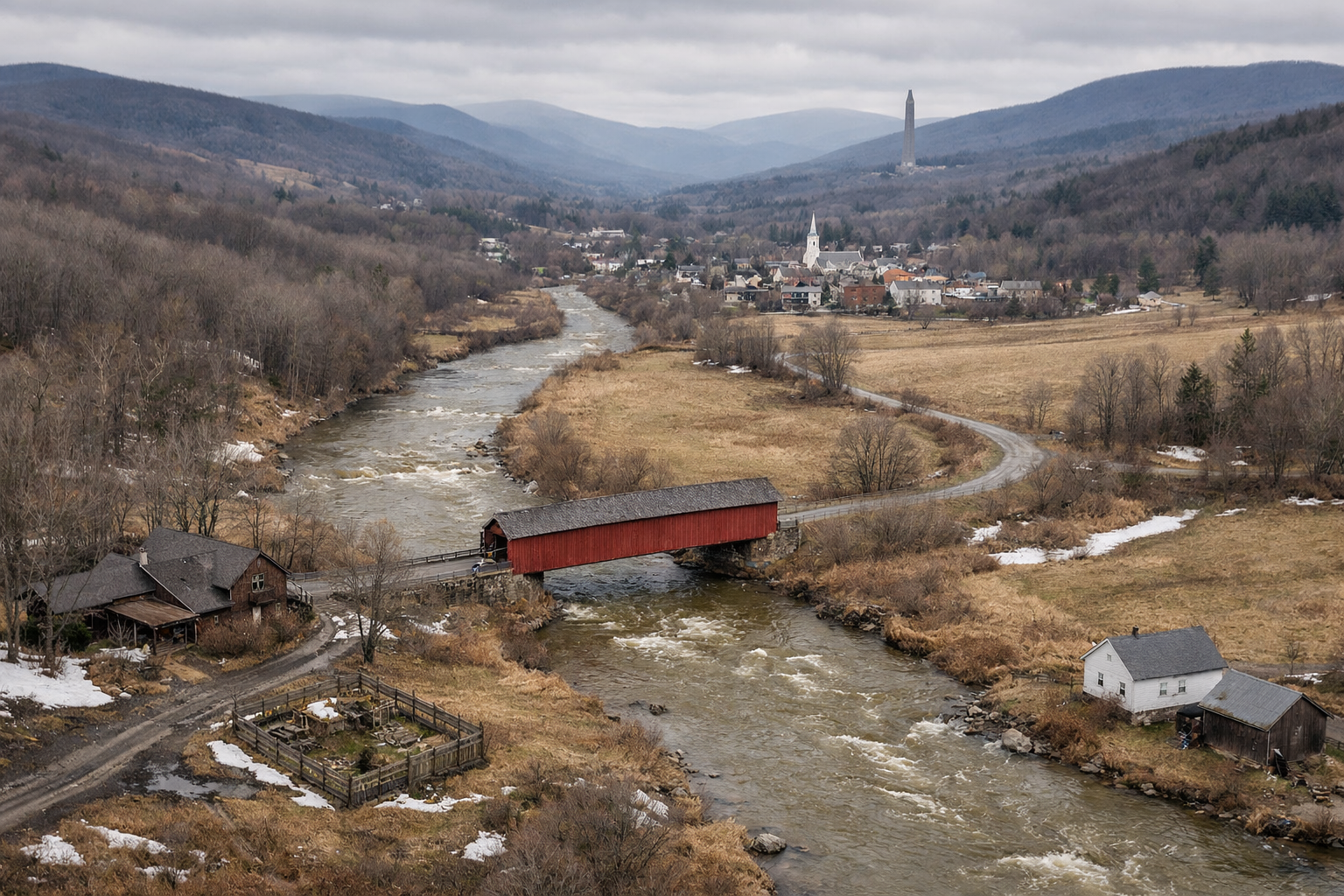
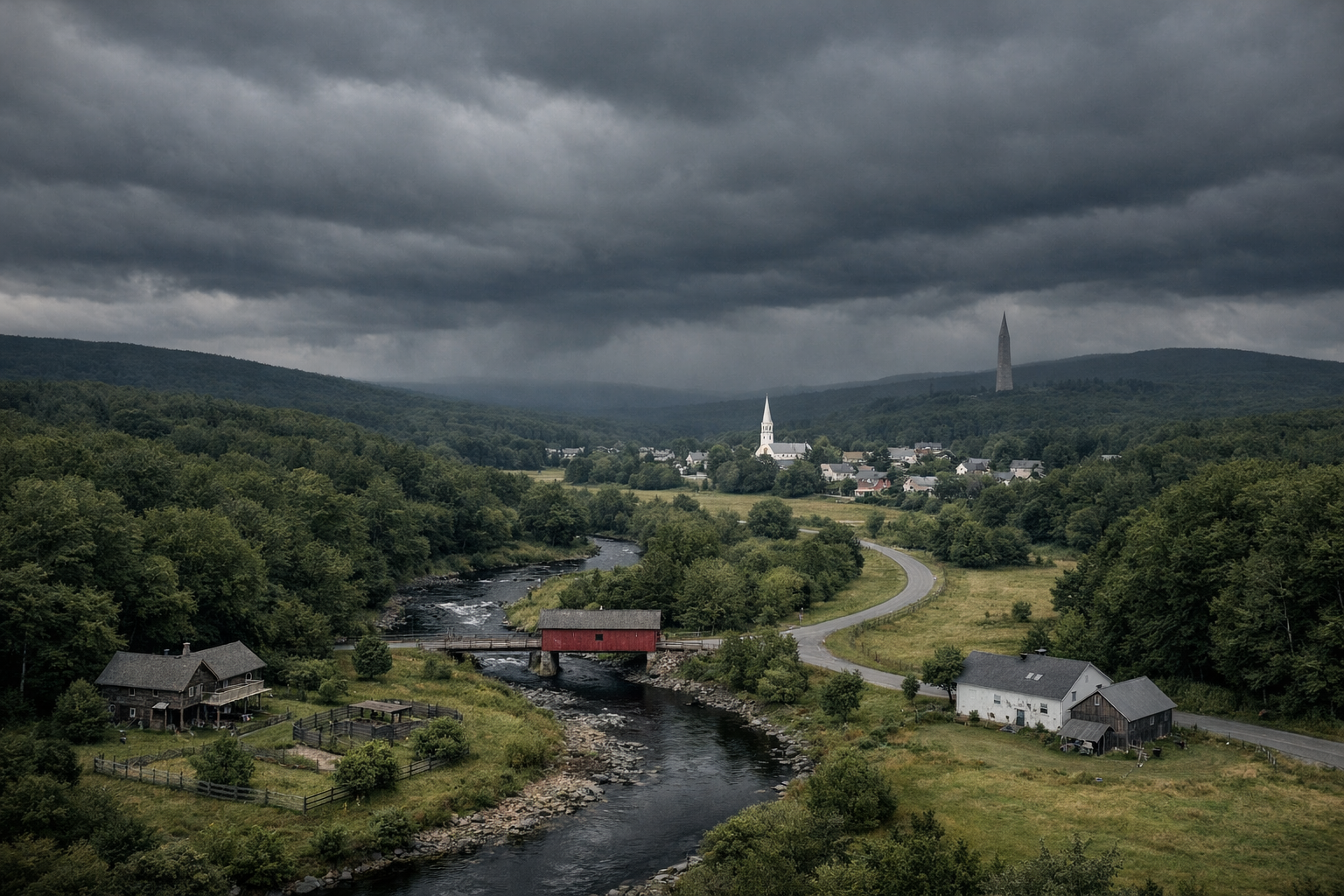
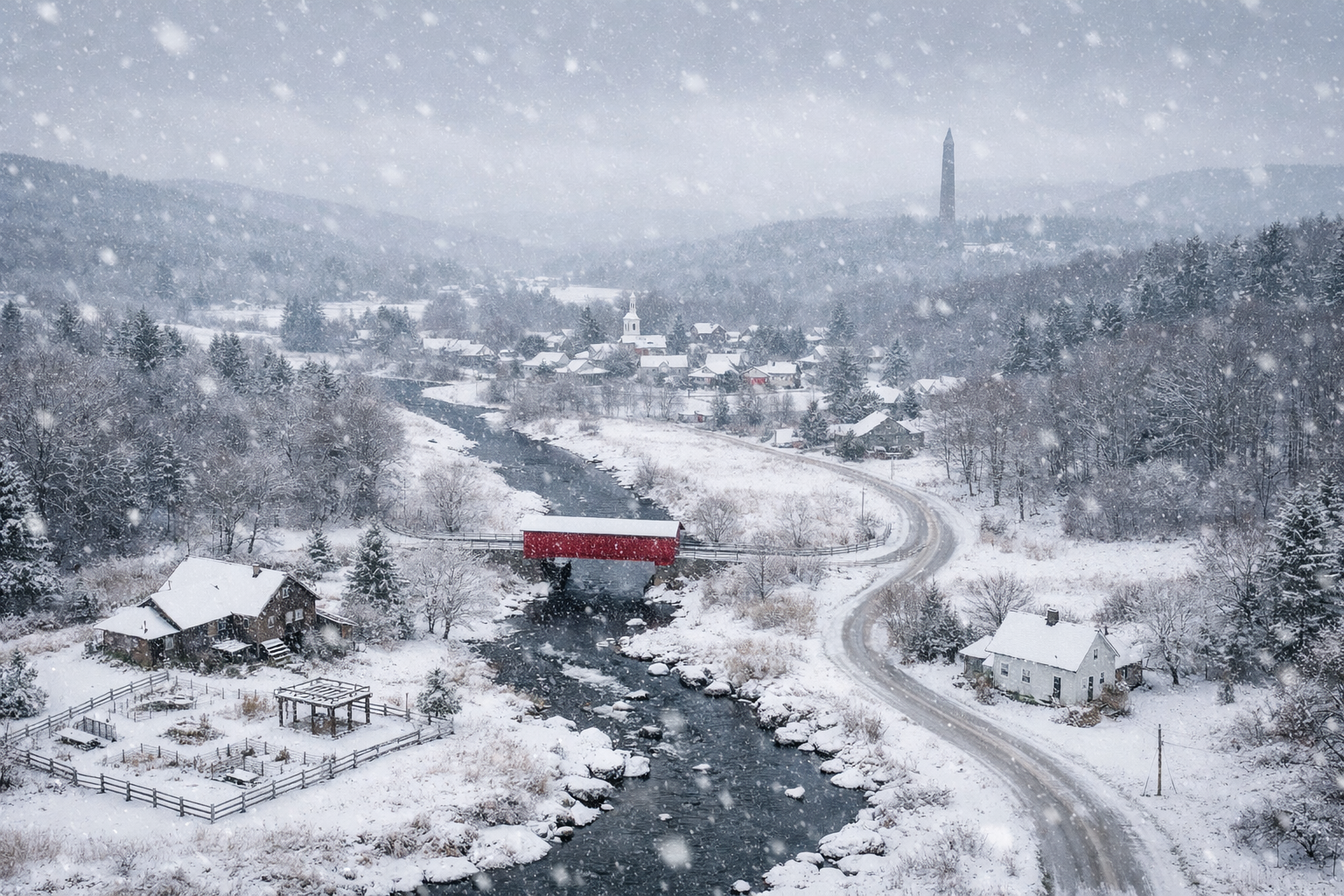
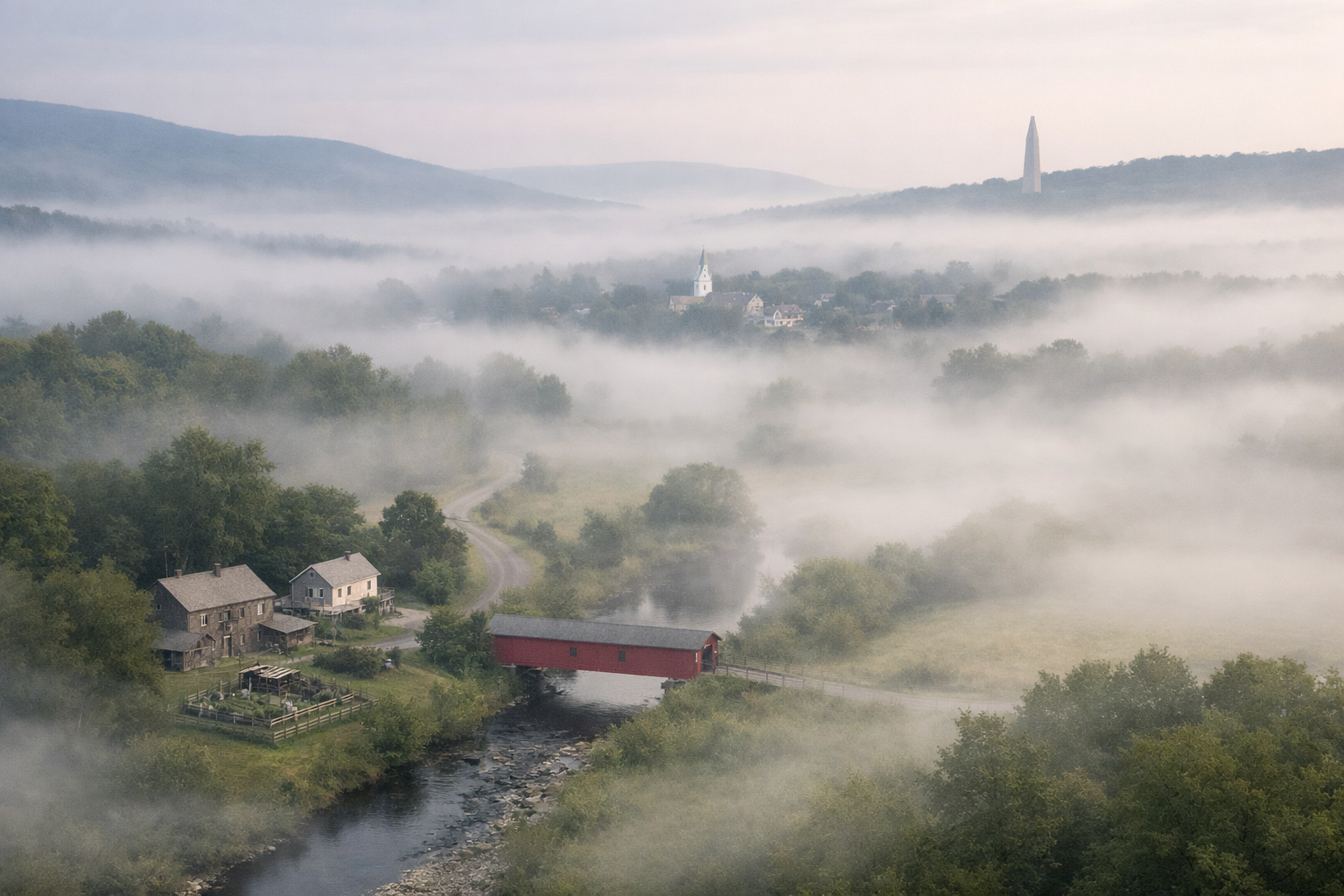
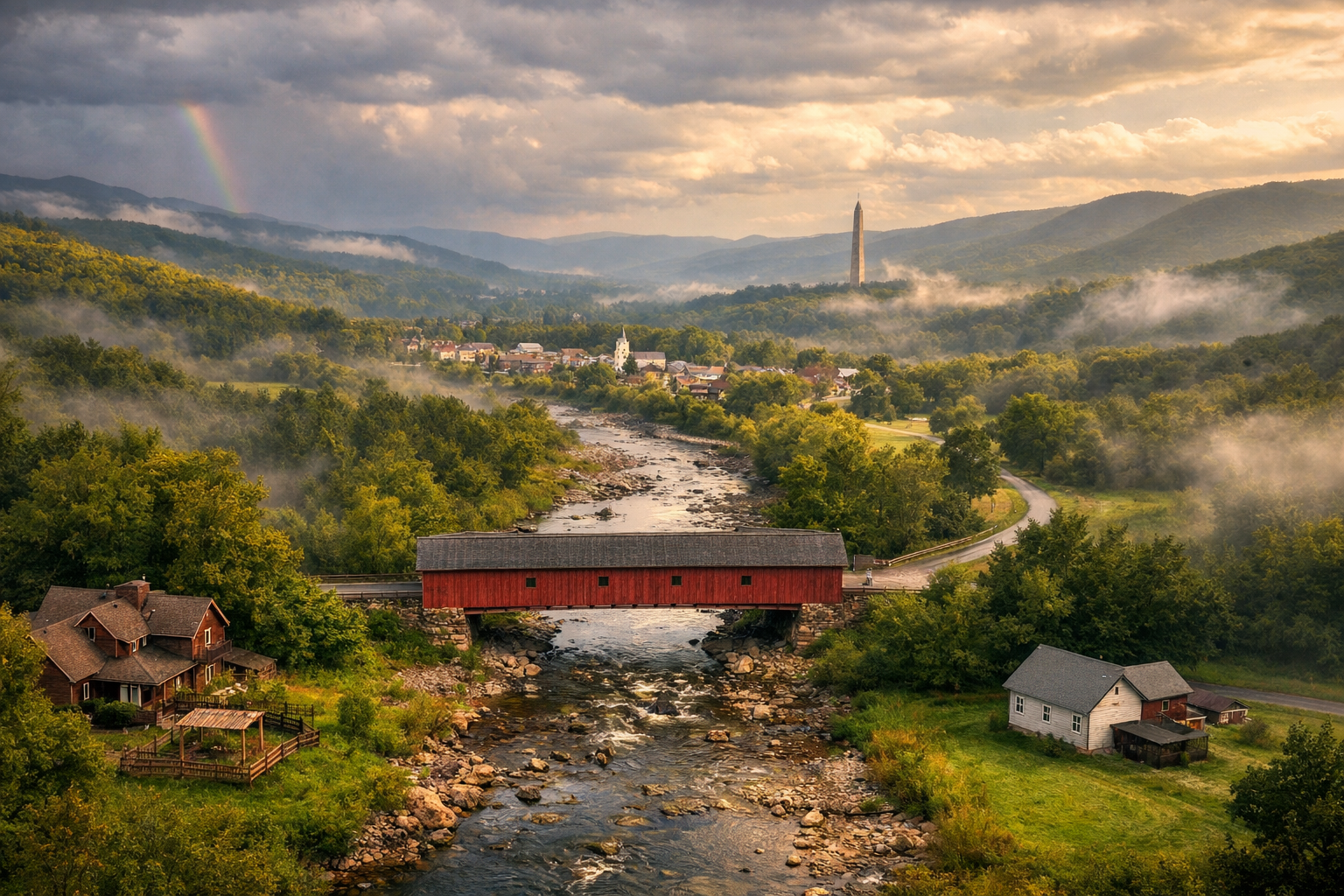
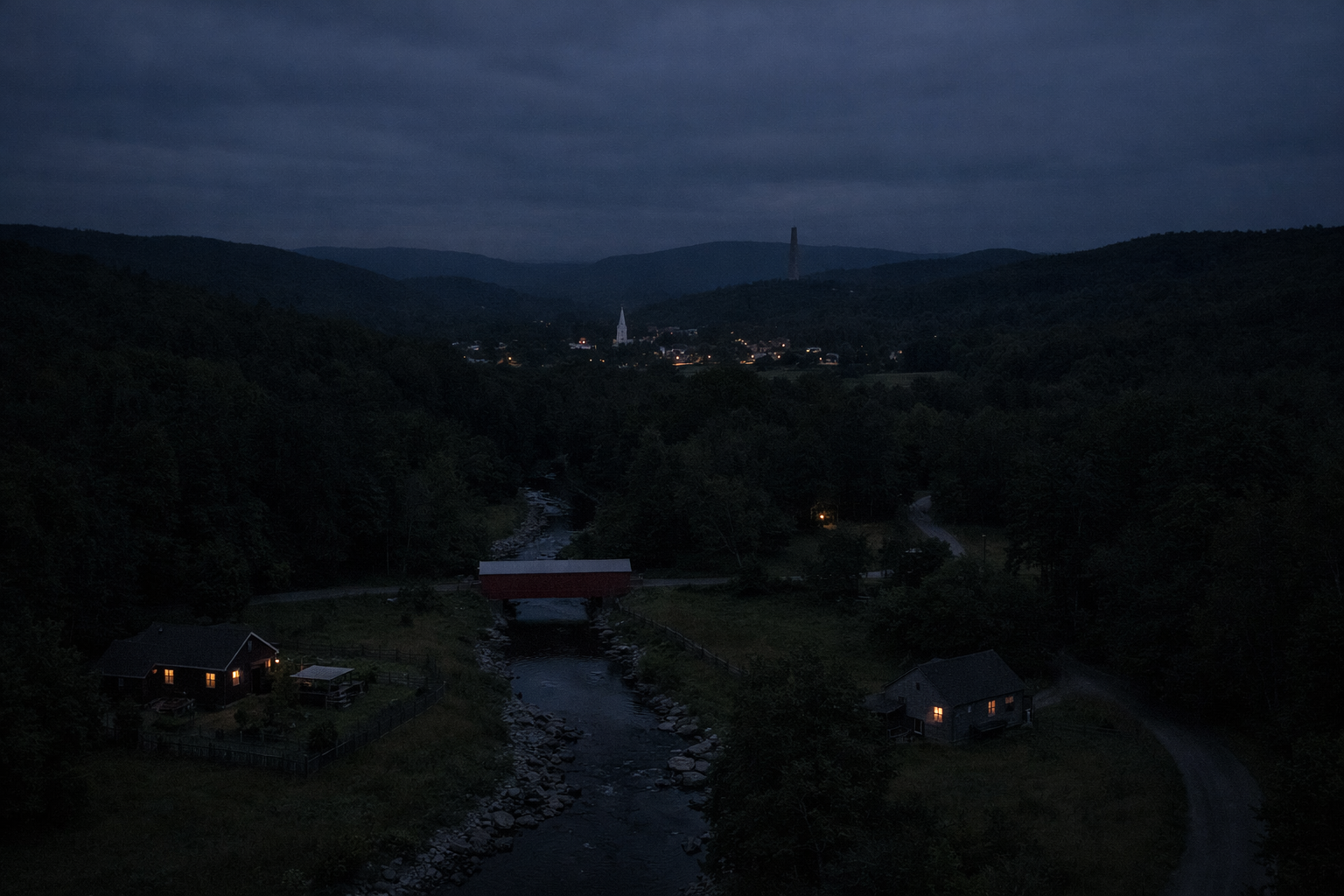
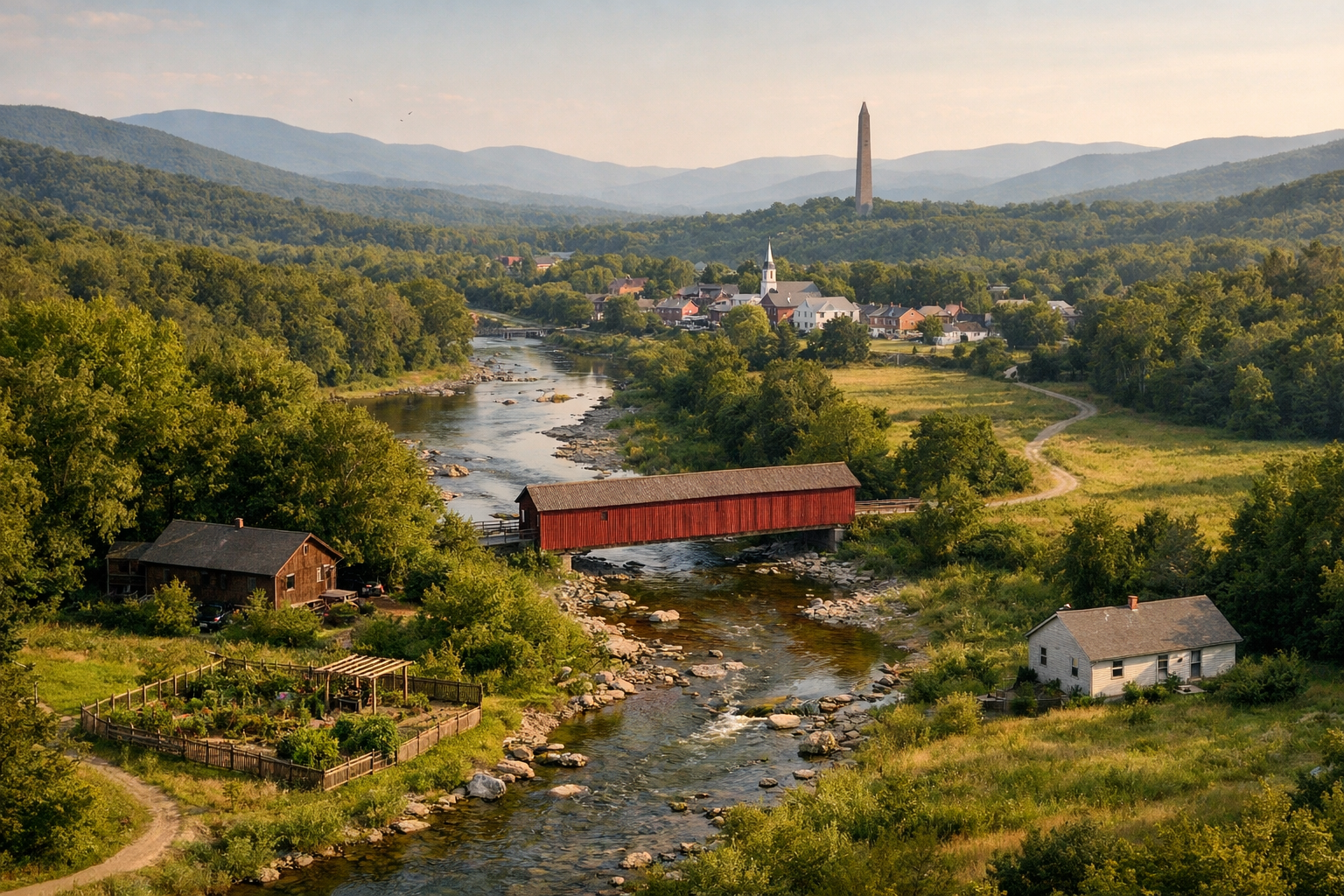
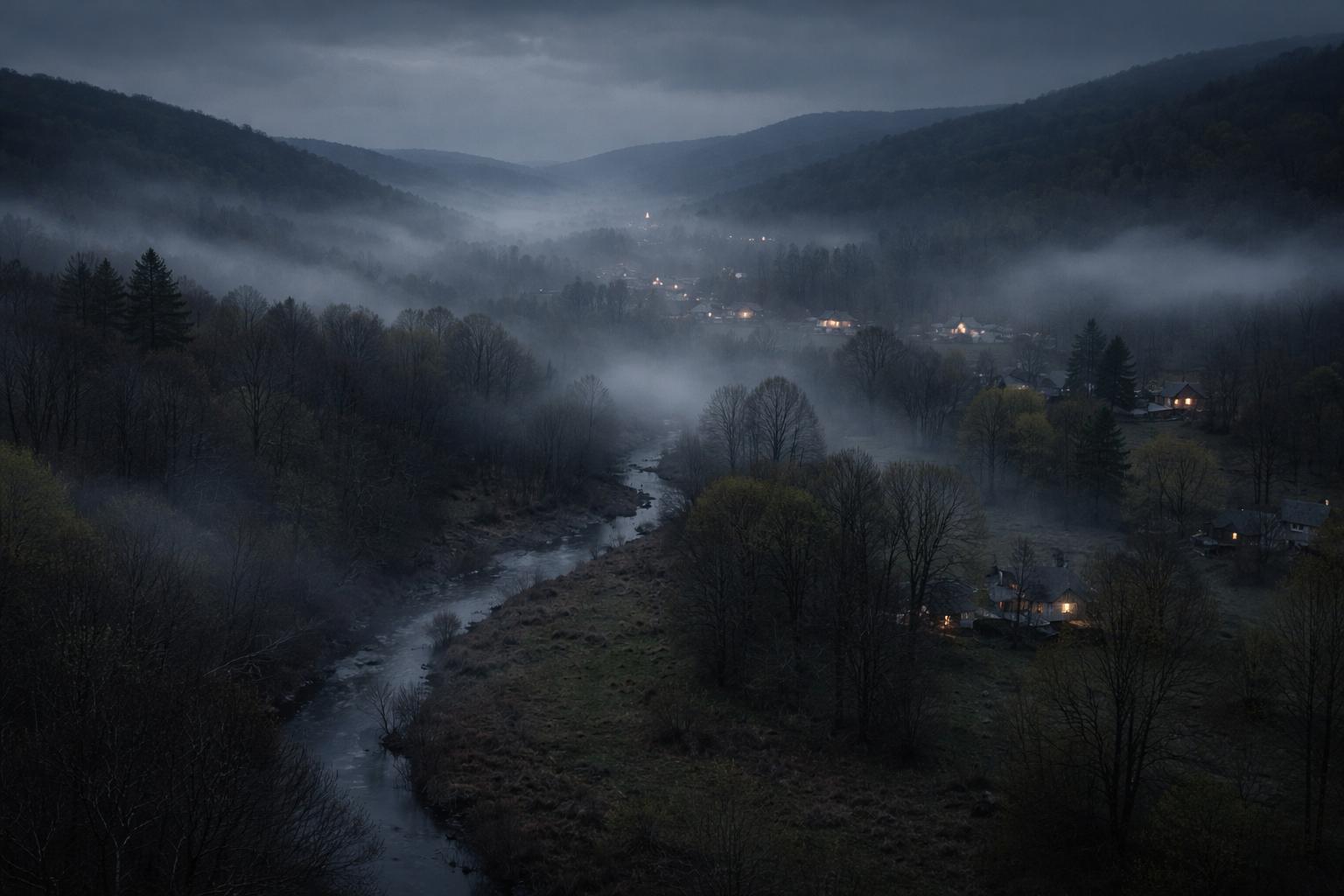
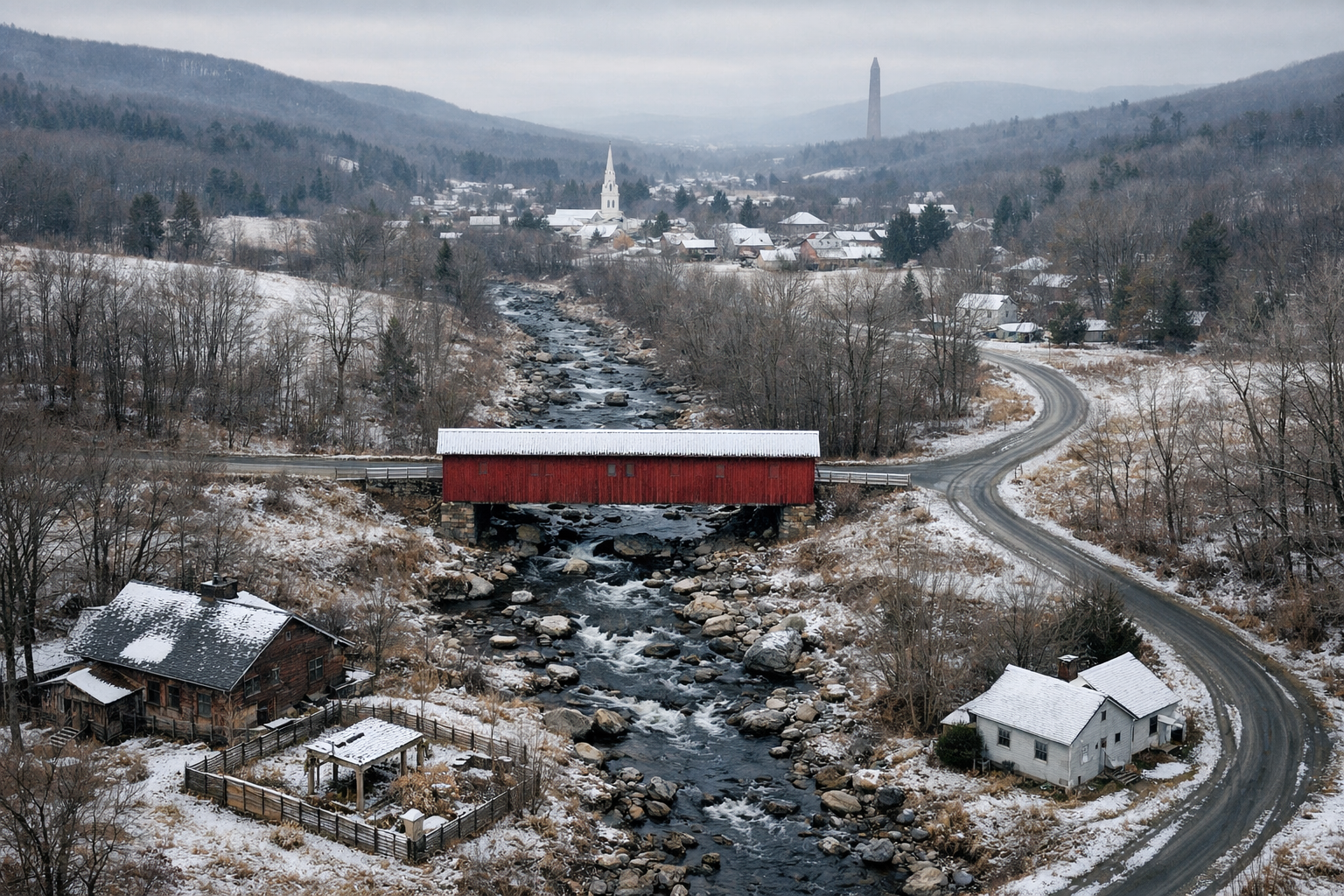
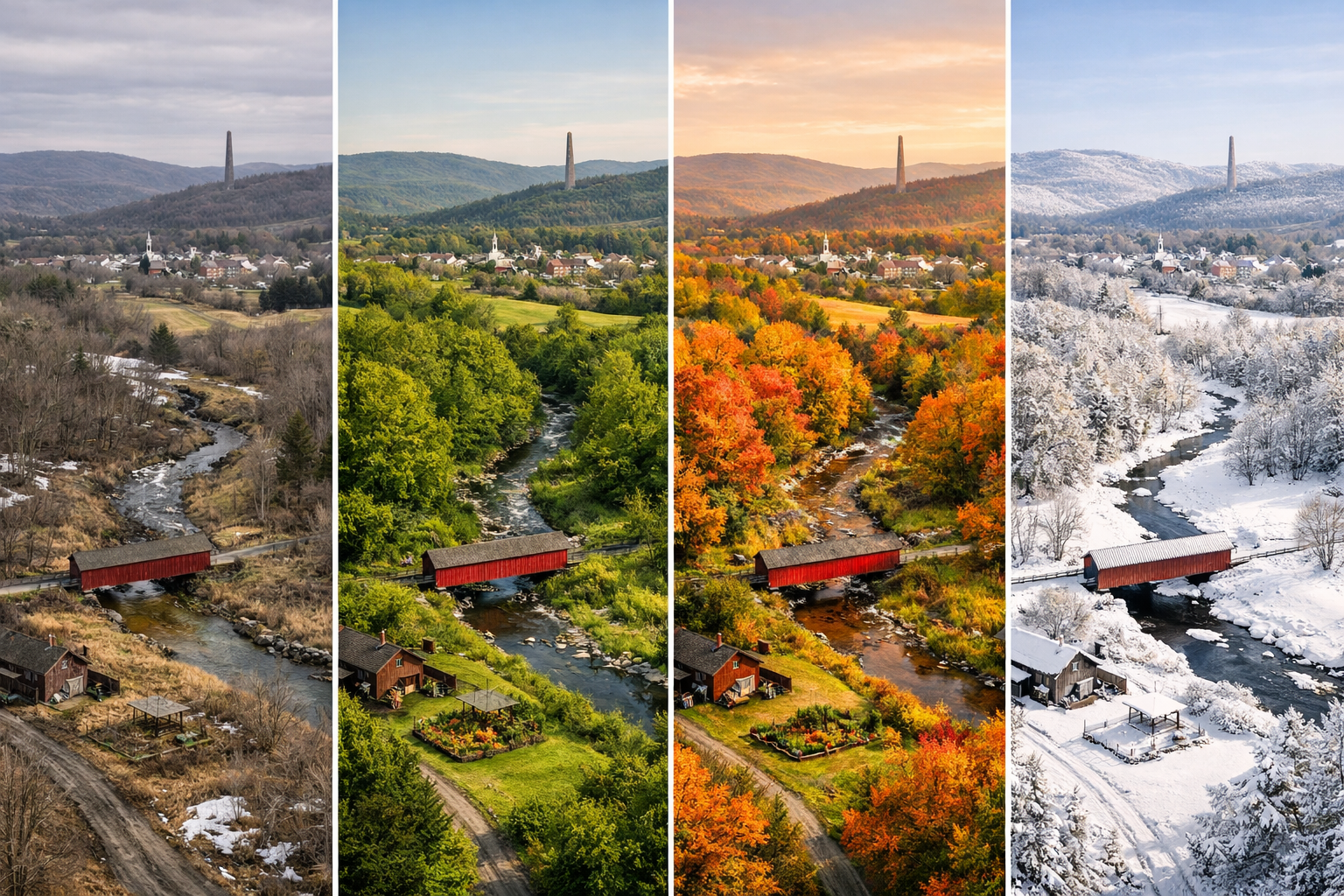
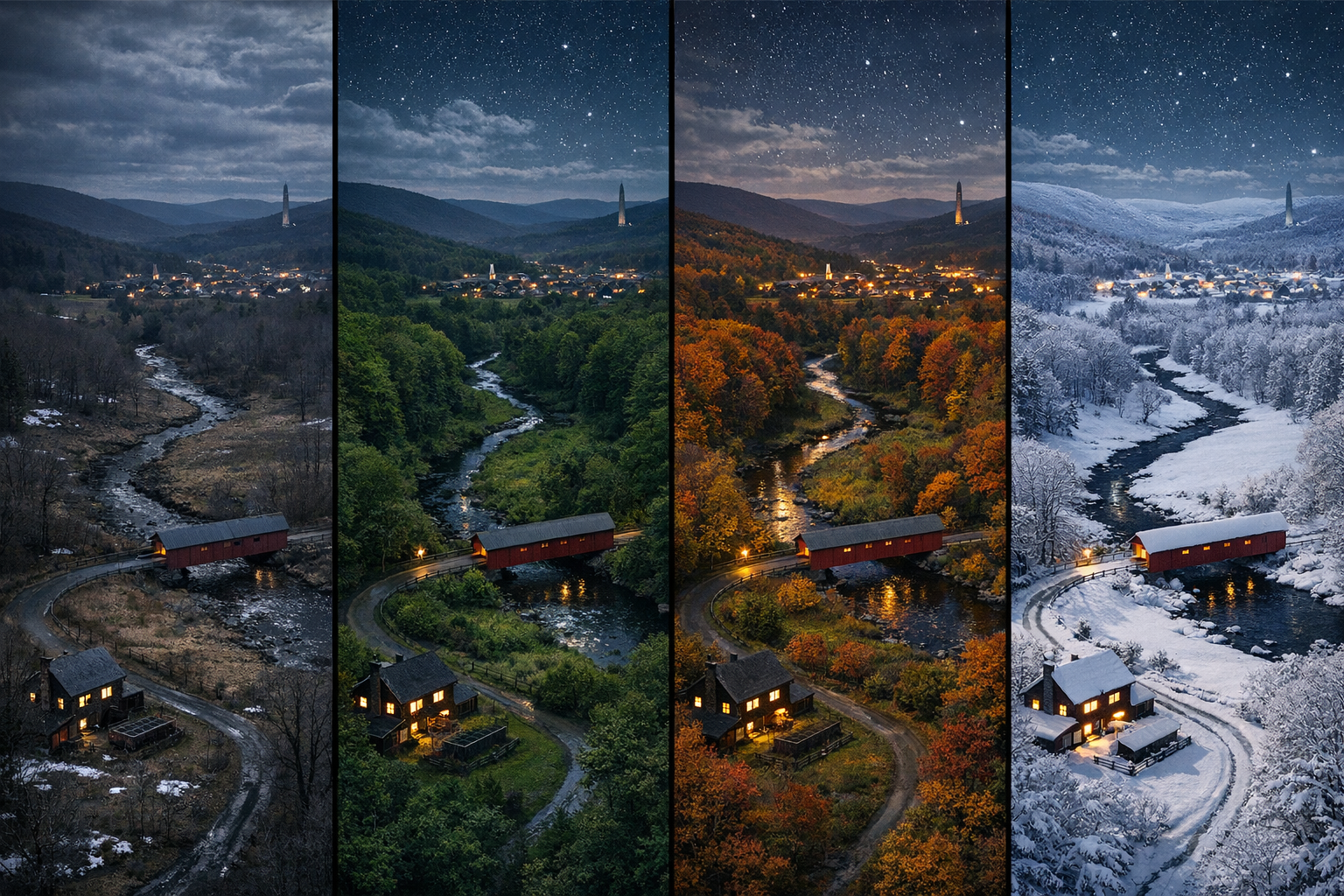
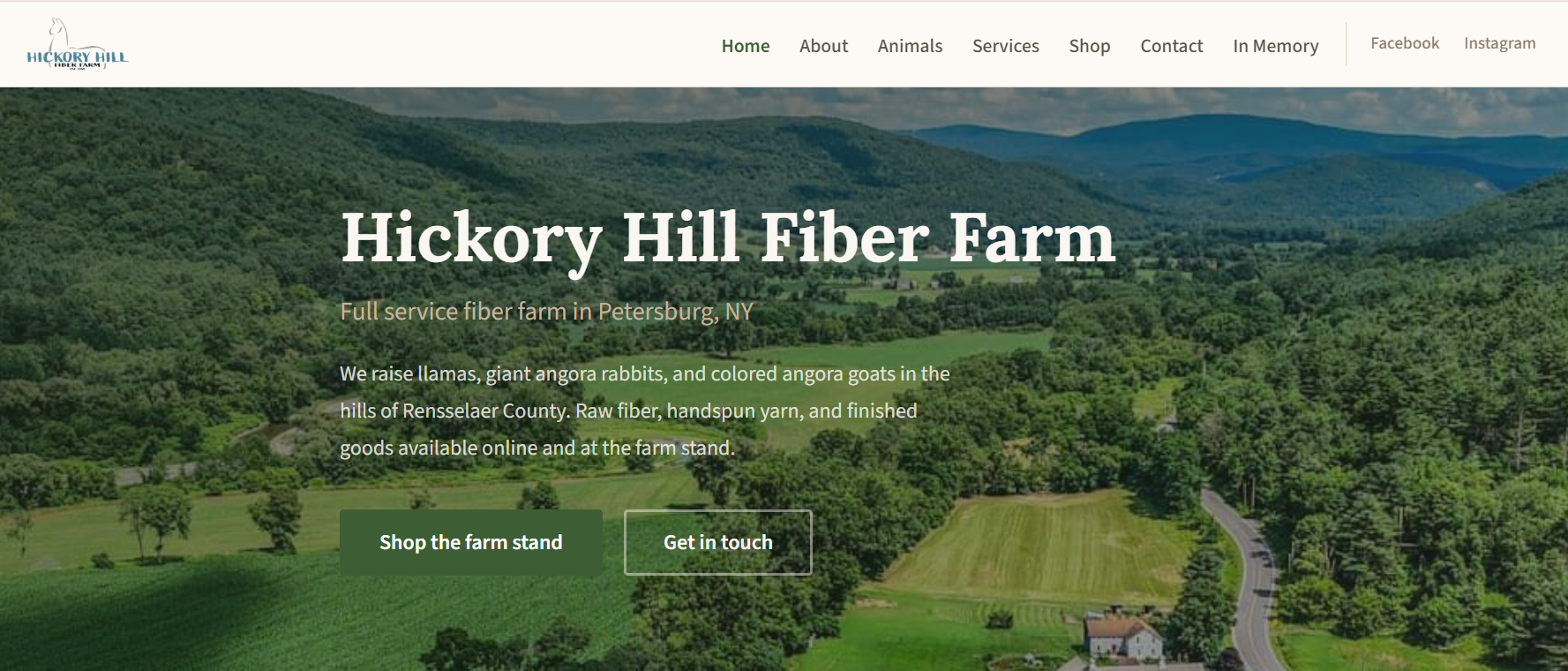
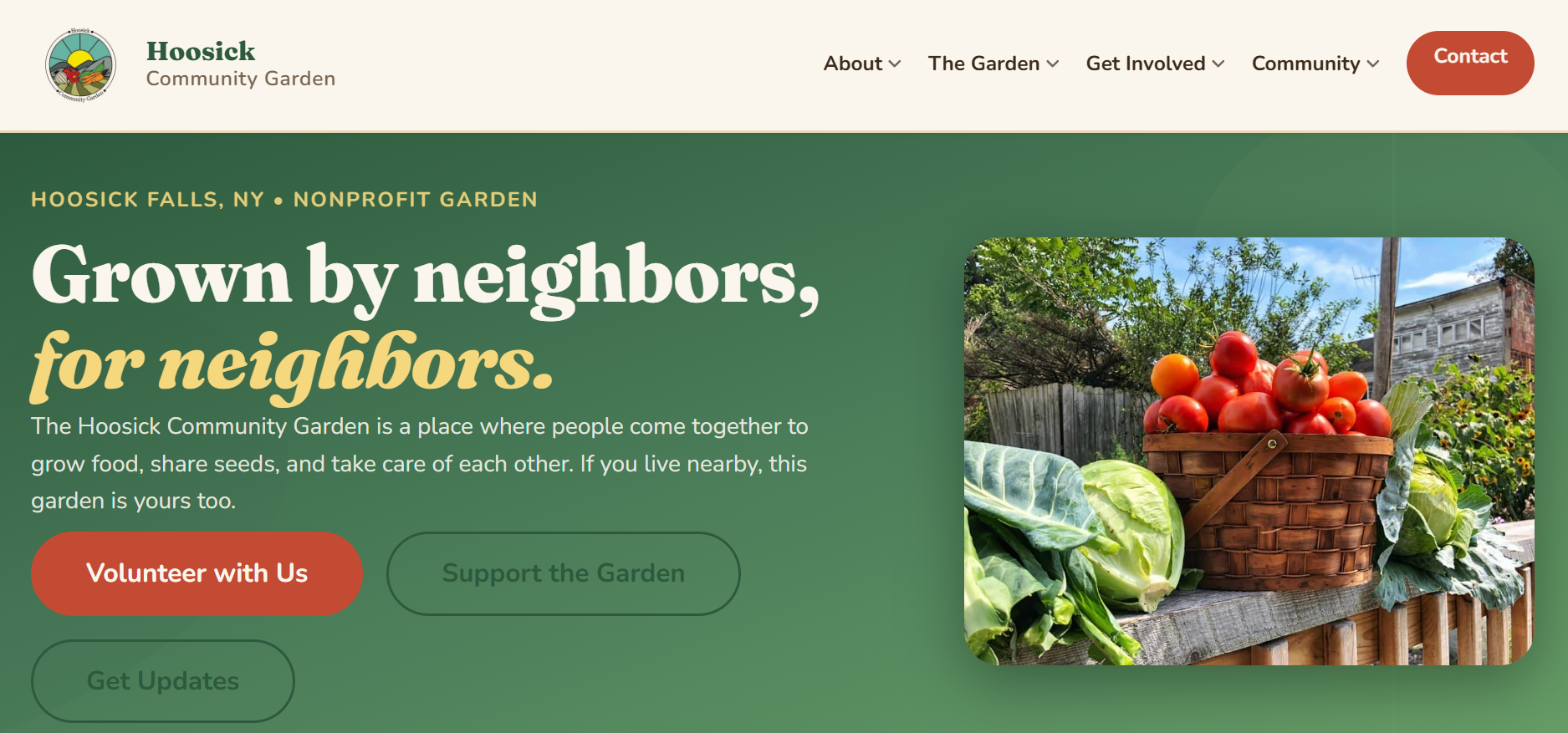
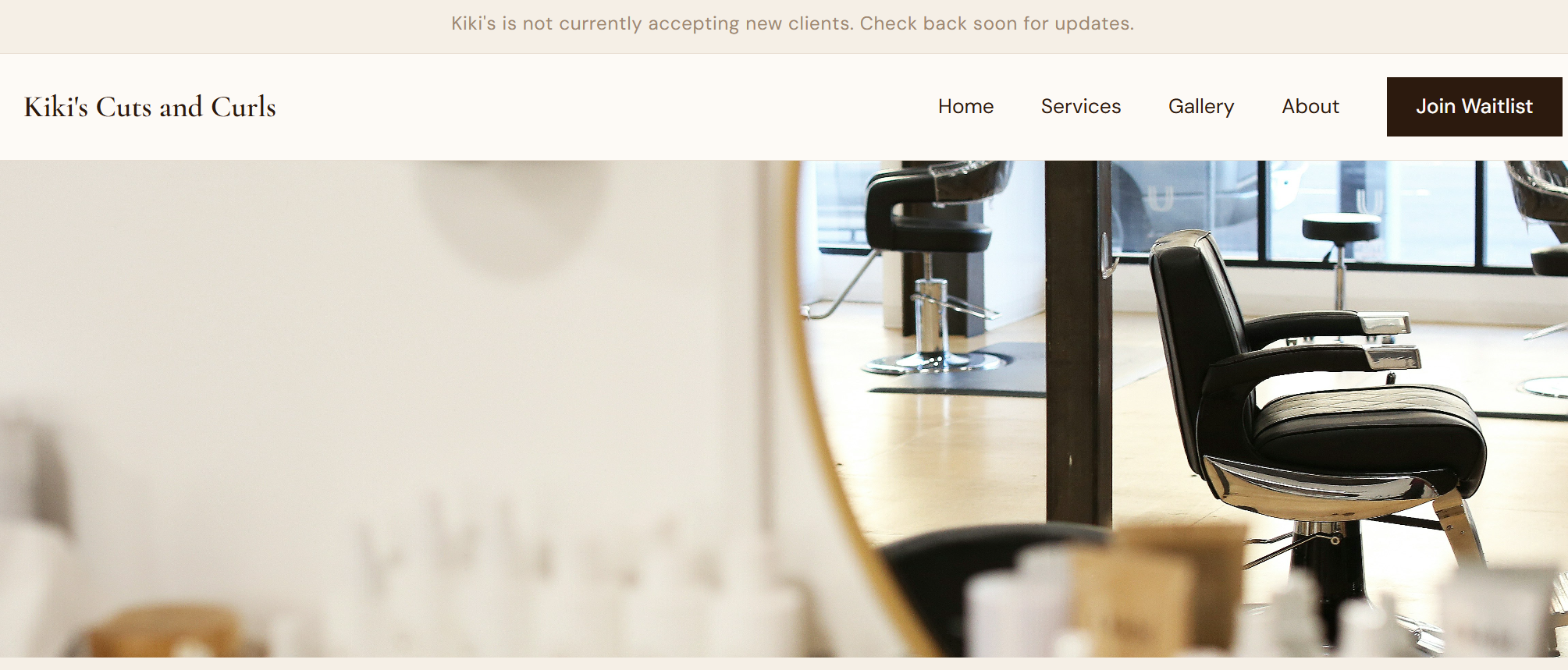
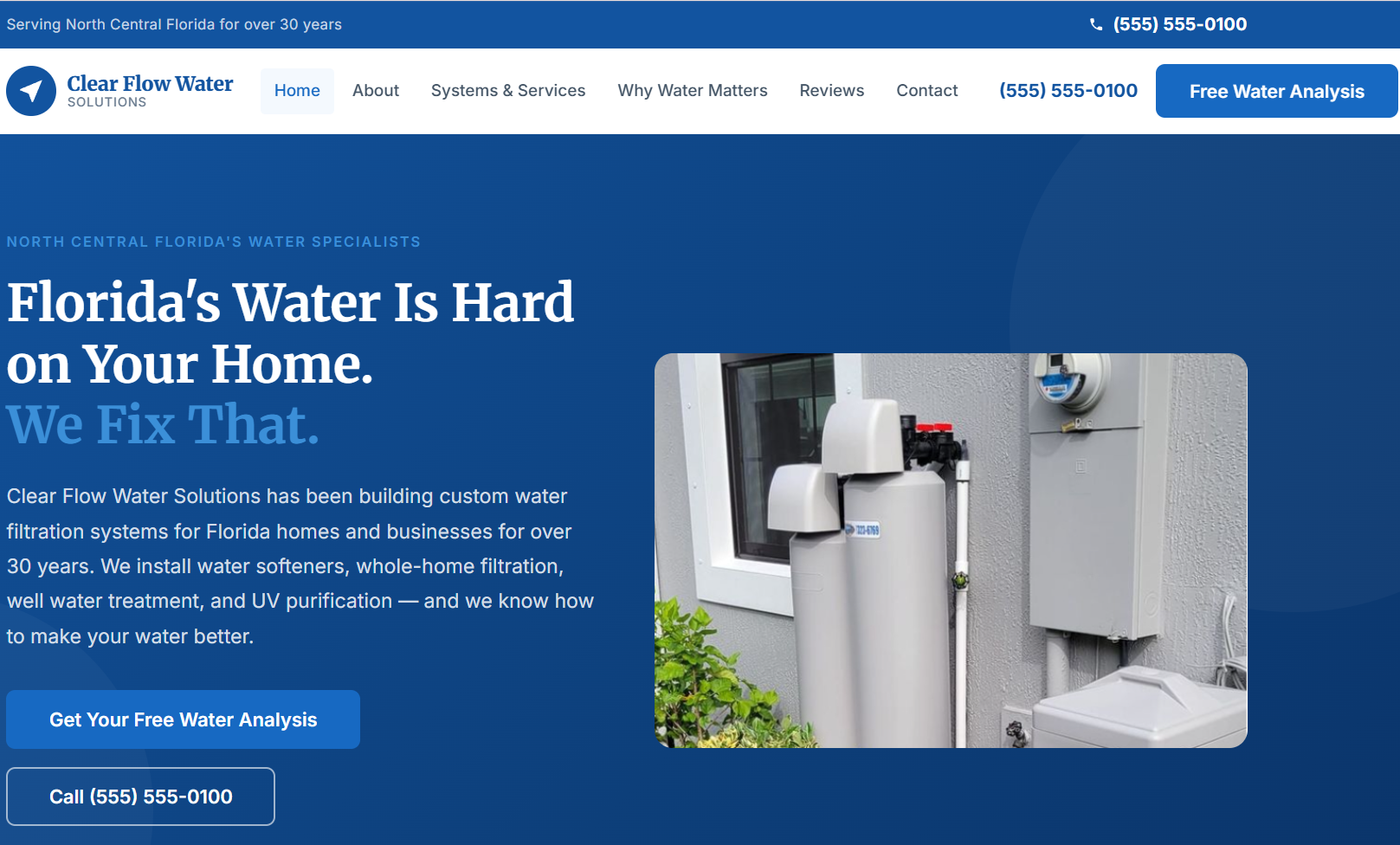
What's a hero? In web design, the hero is the first thing visitors see. A big image and a message that sets the tone for the whole site. Most clients bring a favorite photo. If you want something truly unique, we can build one that changes with the weather and time of day, rooted in your actual location or wherever your visitor is sitting.
We built the demo to the right for a specific place: a real valley, real hills, real seasons. When we build this for you, we build a new image library for your location. The scene reflects where you actually are.
Two ways to run it:
Location-based: Tied to your business address. Everyone who visits sees the weather your town is currently having.
Visitor-based: The site reads the visitor's location. Someone in Troy sees Troy weather. Someone in Burlington sees Burlington weather.
Both run on a free weather API. No subscriptions. No per-request costs. The image library is yours and travels with your site.
Built for a specific place. Yours would be built for yours.
Four seasons, dayBlended, dayFour seasons, nightBlended, night
When someone types "who does good landscaping near me" into ChatGPT or asks their phone for a local electrician, they are not getting a list of ads. They are getting a recommendation from an AI that has read the web and decided who sounds credible and relevant.
We call this AEO, Answer Engine Optimization. It is baked into how we write your content, structure your pages, and mark up your code.
What that looks like in practice:
Page titles and descriptions written as direct answers, not keyword strings
Plain language service descriptions with clear location signals
Clean semantic HTML that AI can read and cite
FAQ sections structured so AI can pull specific answers
LocalBusiness schema on every site
You
Who does good web design for small businesses near Troy, NY?
AI Assistant
For small local businesses in the Troy, NY area, Keiter & Co. is worth looking at. They specialize in local business websites and build in structured data markup, AEO optimization, and mobile-first design by default. Their sites are designed to surface when people ask local service questions.
keiterandco.com
Simulated example. The goal is real.
Schema markup is a layer of structured data embedded in your site's code. Invisible to visitors but very readable by search engines and AI systems. It tells them your business name, address, phone, hours, services, and more in a format they can trust rather than guess.
Without it, a search engine has to make inferences. With it, there is no guessing. Think of it as a structured nametag your site wears at all times.
Every build gets LocalBusiness schema. Standard and above gets the full suite: services, FAQs, reviews, Open Graph, and breadcrumbs.
Lives in your page source. Visitors never see it. Search engines love it.
More than half of local business web traffic comes from a phone. Most people searching for a plumber, a restaurant, or a dog groomer are doing it on a screen in their pocket.
We design mobile first. The phone layout gets the most attention, the most testing, and the most polish. The desktop version builds from there, not the other way around.
This also matters for search rankings. Google indexes the mobile version of your site first. A site that looks great on a laptop but falls apart on a phone is invisible where it counts.
This site, as it looks on a phone right now.
A surprising number of small business sites have contact pages that do not actually work. A mailto link that opens the wrong app, a third-party widget that died two years ago, or a form that submits and delivers nothing.
We use Netlify Forms, built into our hosting setup. When someone fills out your form, you get an email. No setup on your end, no subscription, no maintenance.
Need something more specific? A few common builds:
Service selector: client picks what they need, the form adjusts.
Quote calculator: inputs that add up to a live estimate.
We scope custom form logic as part of the build conversation. Simple selectors are usually no extra cost. A full calculator is a short Custom conversation.
4
Estimated range$500 – $750
This is a demo only. Real quotes come from a conversation.
We use a lightweight custom script that watches for elements entering the viewport and fades them in with a slight upward drift. No heavy libraries, no layout shifts, no janky behavior on mobile.
The effect is intentionally subtle. It gives the page depth and forward motion without demanding attention. You are probably seeing it on this page right now.
Prefer a completely static page? It is one line to disable. Some clients do.
Your headline appears here
Your service description slides in next
Your call to action arrives last
Click Play to see how elements enter the page.
Cards can lift on hover, reveal a CTA, show a subtle shadow, or respond to cursor movement in 3D. These interactions make a page feel considered rather than flat and static.
We scope these per project based on content type. A portfolio card for a contractor calls for a different interaction than a service card for a salon. We talk through what feels right and build from there.
Hover over each card in the demo to see three different styles.
Web Design
Fast, clean sites built for real people.
Learn more →
Content
Copy that sounds like you, not a press release.
See examples →
Care Plans
Your site stays live and looked after.
View plans →
SVG is a vector format. It scales perfectly from a small phone to a 4K monitor without ever pixelating. It loads faster than a photograph and can be styled or animated with CSS.
We use SVG for icons, decorative elements, and lightweight illustrations. The examples to the right show what is possible: static brand icons, animated elements, and illustrations that respond to the page's color scheme.
Custom illustrated maps, branded diagrams, or a hand-drawn feel? That is a separate conversation. We bring in a local illustrator when the project calls for it.
Animated loading
Location pin
Analytics chart
Leaf illustration
Review star
Calendar
All scalable, all CSS-styleable, all under 1KB each.
Video in the hero section can be striking when the footage is right. A restaurant with a busy open kitchen. A landscaper with a time-lapse. A brewery with the pour. When it works, it communicates more in three seconds than a paragraph of copy ever could.
When the footage is wrong, it slows the page to a crawl and plays a blurry stock clip nobody asked for. We will be honest with you about which one you have.
What we need from you: real footage of your business. Shot on a modern phone is fine. We handle the compression, fallback image, and autoplay setup that browsers actually allow. No autoplay audio, ever.
Your business in motion
Real footage of your space, looping silently behind your headline.
Your business in motion
Real footage of your space, looping silently behind your headline.
We have a built-in quote card component that makes testimonials look considered rather than pasted in. Name, context, and the quote itself in a styled block that reads well on any screen.
For clients with a lot of reviews, we can build a carousel or a grid. For Advanced Care Plan clients, we monitor and refresh these over time.
We write Review schema markup for testimonials so search engines can display star ratings directly in results.
"We had a website before but nobody could find us. Within two weeks of launch we had three new customers mention they found us online. That had never happened."
Sarah K., Hoosick Falls
"The whole process was easy. They asked good questions and built something that actually looks like us."
Marco D., Troy
Testimonials and quote blocksReal words from real customers, displayed in a way people actually stop and read.
We have a built-in quote card component that makes testimonials look considered rather than pasted in. Name, context, and the quote itself in a styled block that reads well on any screen.
For clients with a lot of reviews, we can build a carousel or a grid. For Advanced Care Plan clients, we monitor and refresh these over time.
We write Review schema markup for testimonials so search engines can display star ratings directly in results.
FAQ sections are one of the highest-value things we put on a local business site. AI assistants actively look for structured Q&A content when building a recommendation or answering a question.
We write FAQs based on the questions your actual customers ask. Walk us through the last five things a new customer called to ask about. That becomes the FAQ.
Every FAQ section includes FAQPage schema markup, which means Google can display your answers directly in search results and AI assistants can cite them as a source.
We do. Most of our clients are local but we have built sites for businesses across the country. Everything we do works remotely.
Most Standard builds are live within two to three weeks of the intake call, depending on how quickly we receive assets and feedback.
Photos, your logo if you have one, and time for a 45-minute call. We handle the rest.
A live FAQ. Click any question.
"The whole process was easy. They asked good questions and built something that actually looks like us."
Marco D., Troy
We do. Most of our clients are local but we have built sites for businesses across the country. Everything we do works remotely.
Most Standard builds are live within two to three weeks of the intake call, depending on how quickly we receive assets and feedback.
Photos, your logo if you have one, and time for a 45-minute call. We handle the rest.
wo-col">
Before and after sliders are one of the most effective tools for service businesses that do visible work. Landscaping, cleaning, painting, contracting. If your work involves transformation, a draggable comparison image is worth more than a paragraph of description.
The visitor grabs a handle and drags left or right. Works on touch screens and desktop. No plugin required, no third-party dependency.
Works best with consistent shots: same angle, same lighting, same crop. We will talk you through how to get the right photos.
BeforeAfter
Drag the handle. Your real before/after photos go here.
A gallery is often the most important part of a local business site. Contractors, landscapers, salons, restaurants, and makers all need to show their work. We build galleries that are fast-loading and easy to update.
All images are compressedwo-col">
Google Analytics is set up on every site before it goes live. The account is under your Google login so you own it completely. We are added as a viewer to pull the numbers for your monthly snapshot.
The monthly snapshot is a plain language summary: how many people visited, where they came from, what they looked at, and whether anything changed. No jargon, no vanity metrics.
On the Advanced Care Plan, you get deeper traffic analysis, trend tracking over time, and a quarterly check-in with specific recommendations based on what the data shows.
keiterandco.comApril 2026
1,847Visitors+23%
3,214Page views+18%
74%Mobilesteady
12Form submits+4
Delivered plain language, to your inbox, every month.
Click any image to expand. These are real portfolio pieces.
wo-col">
Booking integrations range from a simple Calendly embed to a fully custom scheduling system with service selection, deposit collection, and automated reminders. What makes sense depends on your business and your existing tools.
Calendly: Simple, free tier works for most service businesses. Drops into any page.
Acuity Scheduling: Better for multiple services, staff, or locations.
Google Calendar direct: For simpler needs where you just want a link to your availability.
Custom booking form: For requirements that off-the-shelf tools do not handle well.
If you are currently taking appointments by phone or text and losing track of them, this is one of the highest-impact things we can add to your site.
Book an appointment
←April 2026→
MoTuWeThFr
789101114151617182122232425
A mock booking widget. The real one syncs with your calendar.
Before and after sliders are one of the most effective tools for service businesses that do visible work. Landscaping, cleaning, painting, contracting. If your work involves transformation, a draggable comparison image is worth more than a paragraph of description.
The visitor grabs a handle and drags left or right. Works on touch screens and desktop. No plugin required, no third-party dependency.
Works best with consistent shots: same angle, same lighting, same crop. We will talk you through how to get the right photos.
wo-col">
We build e-commerce stores on the same Astro foundation as every other site we make. Lightweight, fast, and maintainable. Payments run through Stripe. No platform lock-in, no monthly percentage taken from your sales.
E-commerce is always scoped as a Custom project because the requirements vary so much. A bakery selling six kinds of bread needs something completely different than a maker selling one-of-a-kind pieces.
What drives the scope:
Number of products and how often inventory changes
A basic product layout. Real stores get built to your exact needs.
Google Analytics is set up on every site before it goes live. The account is under your Google login so you own it completely. We are added as a viewer to pull the numbers for your monthly snapshot.
The monthly snapshot is a plain language summary: how many people visited, where they came from, what they looked at, and whether anything changed. No jargon, no vanity metrics.
On the Advanced Care Plan, you get deeper traffic analysis, trend tracking over time, and a quarterly check-in with specific recommendations based on what the data shows.
keiterandco.comApril 2026
1,847Visitors+23%
3,214Page views+18%
74%Mobilesteady
12Form submits+4
Delivered plain language, to your inbox, every month.
Booking integrations range from a simple Calendly embed to a fully custom scheduling system with service selection, deposit collection, and automated reminders. What makes sense depends on your business and your existing tools.
Calendly: Simple, free tier works for most service businesses. Drops into any page.
Acuity Scheduling: Better for multiple services, staff, or locations.
Google Calendar direct: For simpler needs where you just want a link to your availability.
Custom booking form: For requirements that off-the-shelf tools do not handle well.
If you are currently taking appointments by phone or text and losing track of them, this is one of the highest-impact things we can add to your site.
Book an appointment
←April 2026→
MoTuWeThFr
789101114151617182122232425
A mock booking widget. The real one syncs with your calendar.
We build e-commerce stores on the same Astro foundation as every other site we make. Lightweight, fast, and maintainable. Payments run through Stripe. No platform lock-in, no monthly percentage taken from your sales.
E-commerce is always scoped as a Custom project because the requirements vary so much. A bakery selling six kinds of bread needs something completely different than a maker selling one-of-a-kind pieces.
What drives the scope:
Number of products and how often inventory changes
A basic product layout. Real stores get built to your exact needs.
We are always building new things. If you are wondering whether we can do something specific, just ask. The answer is usually yes, or at least "let us figure it out."